Airy
Manage scoliosis health
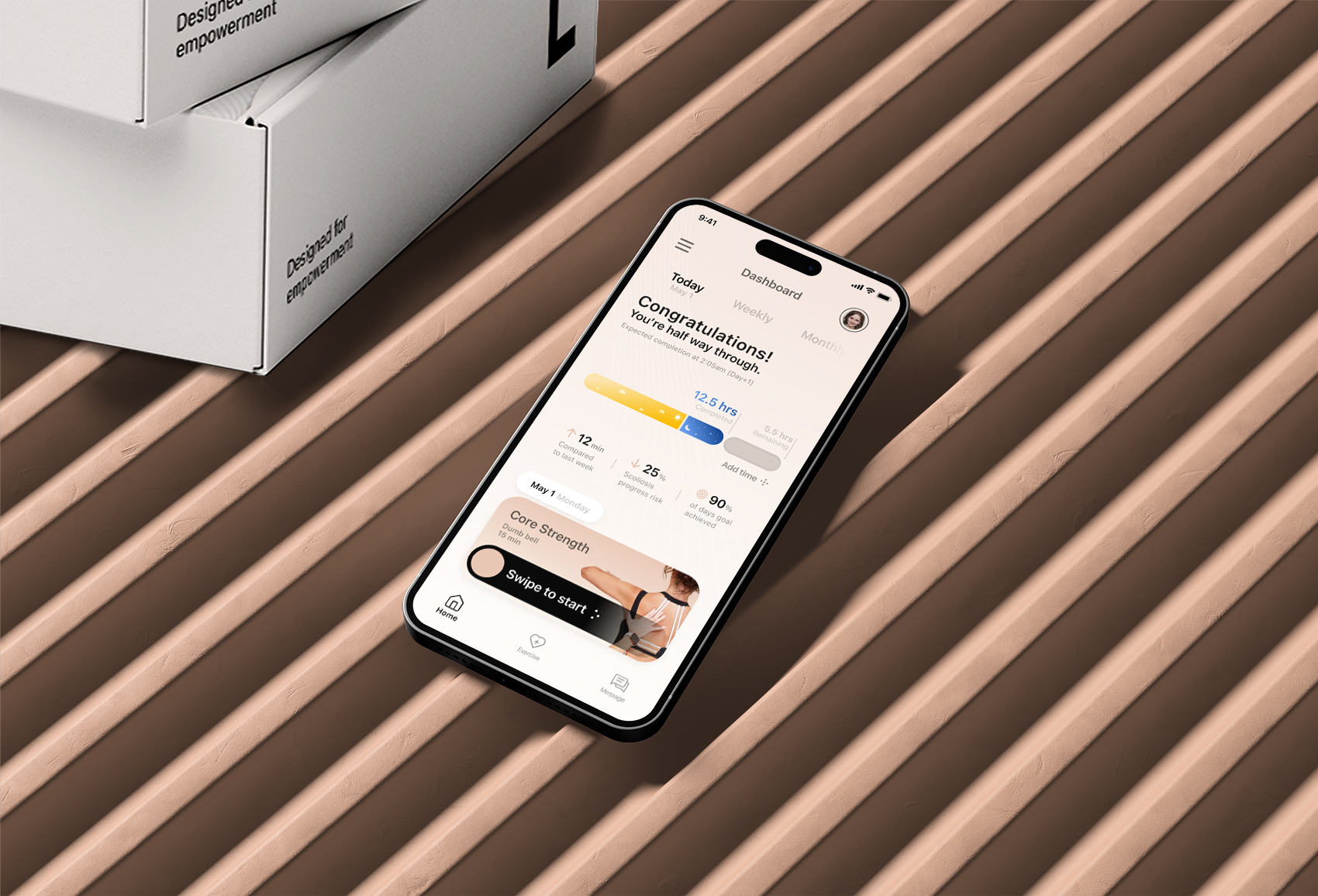
A companion app for brace wear time, progress, and rehabilitation—aligned with how patients, parents, and clinicians actually coordinate care.
Project Context
2022 Academic Capstone
My Role
Sole UX Designer
Methodologies
User interview
Wireframes
Prototype
Animation
Usability research
The context
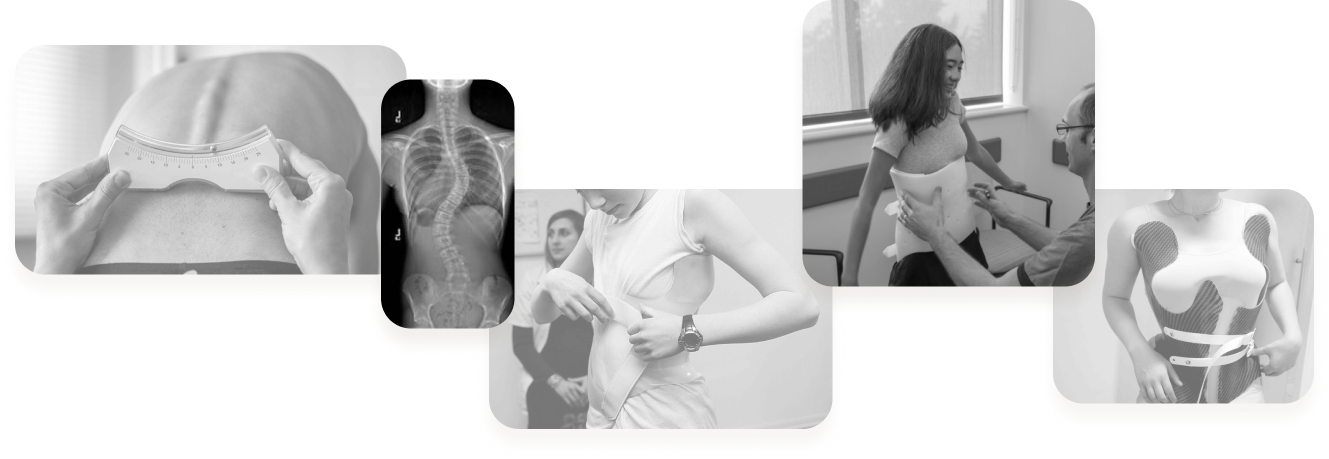
Scoliosis is a lateral curvature of the spine affecting about 7 million people in the US today. About 80% of patients are female. If left untreated, it can lead to back pain and potentially require surgery.
The standard treatment involves:
- Wearing a rigid brace for an average of 18 hours per day to help slow the progression of curvature.
- Wearing a monitor to track brace-wearing time and ensure compliance.
- Rehabilitation exercise after taking off the brace to prevent muscle from weakening.
This design project aims to support effective scoliosis treatment and management.
Secondary research
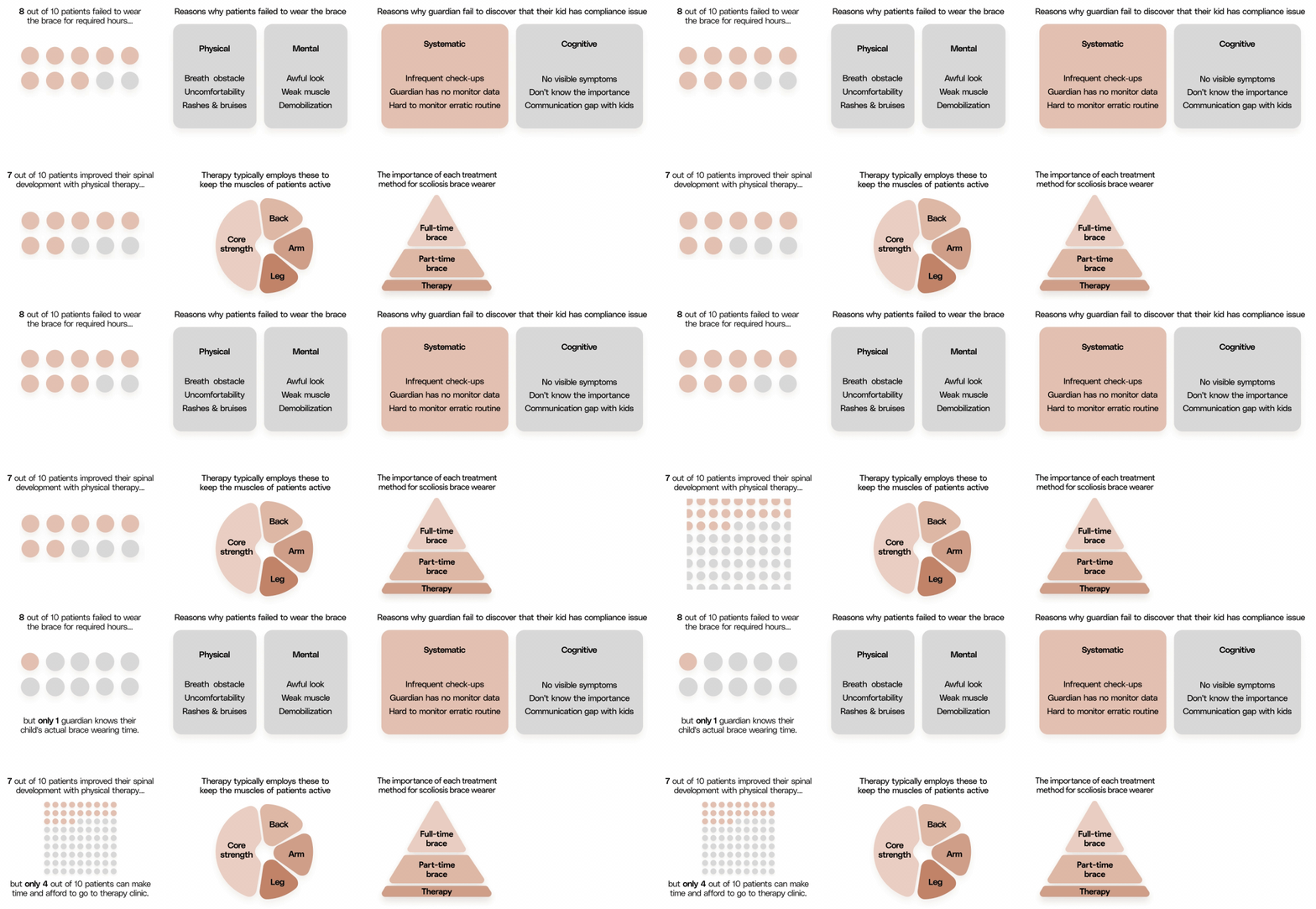
“Only 10% of guardian knows their child's actual brace wearing time.”
Persona
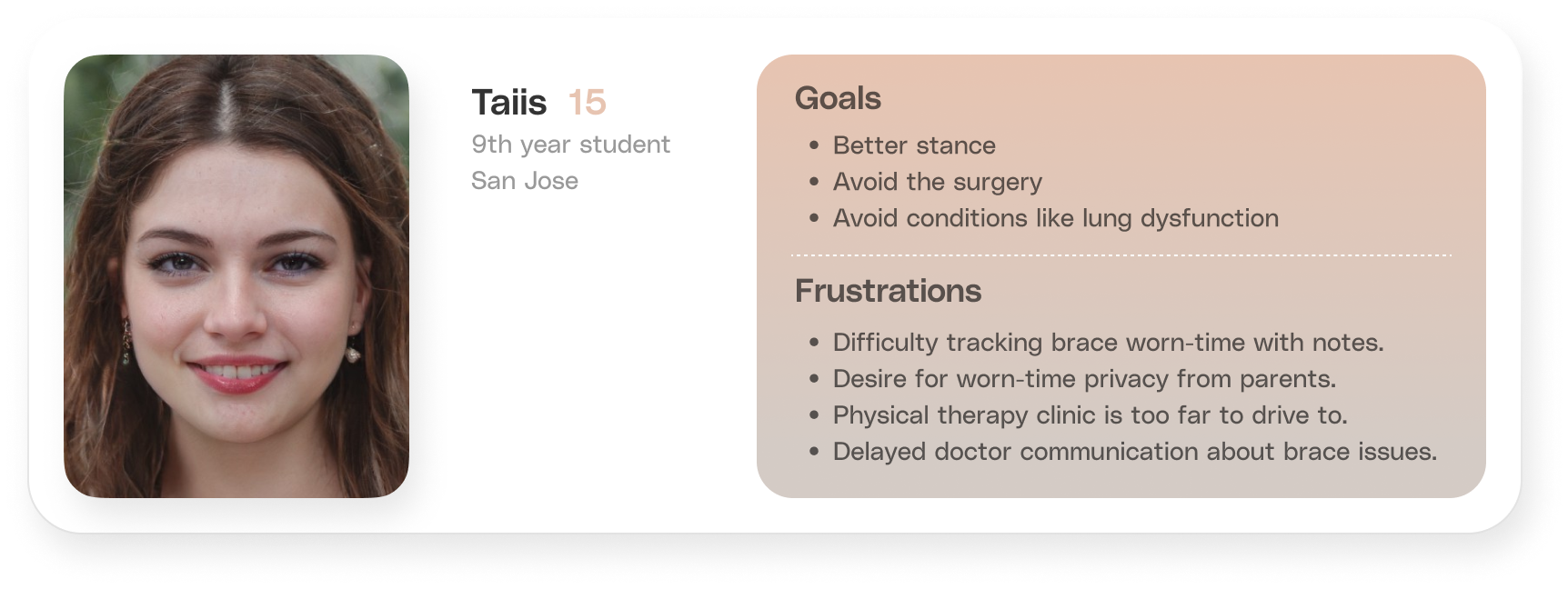
I contacted 6 scoliosis patients online who had worn brace and now in 3 different stages of treatment from scoliosis support group. Then I distilled their complaints for scoliosis management service into 1 persona shown below.
Competitor overview
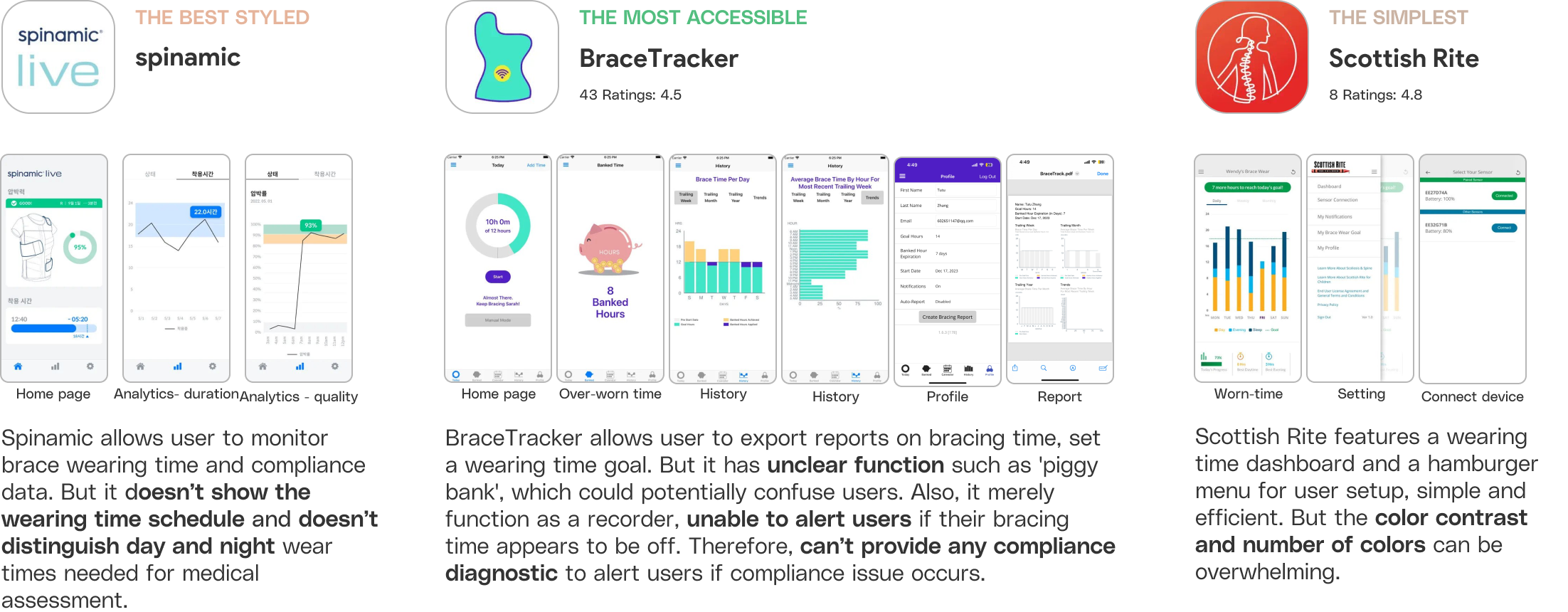
I did the user experience analysis to 3 competitors, to understand their capabilities, challenges, and opportunities for improvement. This helped me to identify market gaps and potential opportunities.
The Challenges
If Challenges is unresolved...
However, I found that there are 3 challenges hindering the effectiveness of scoliosis brace.

Track Compliance
Few Check-Ups
Rehab Routine
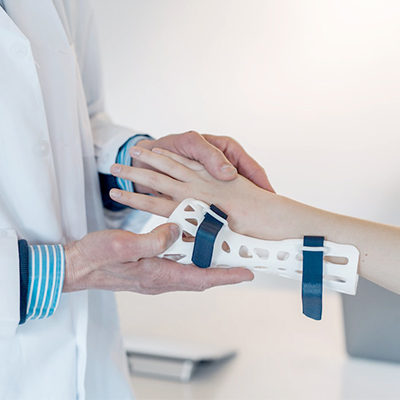
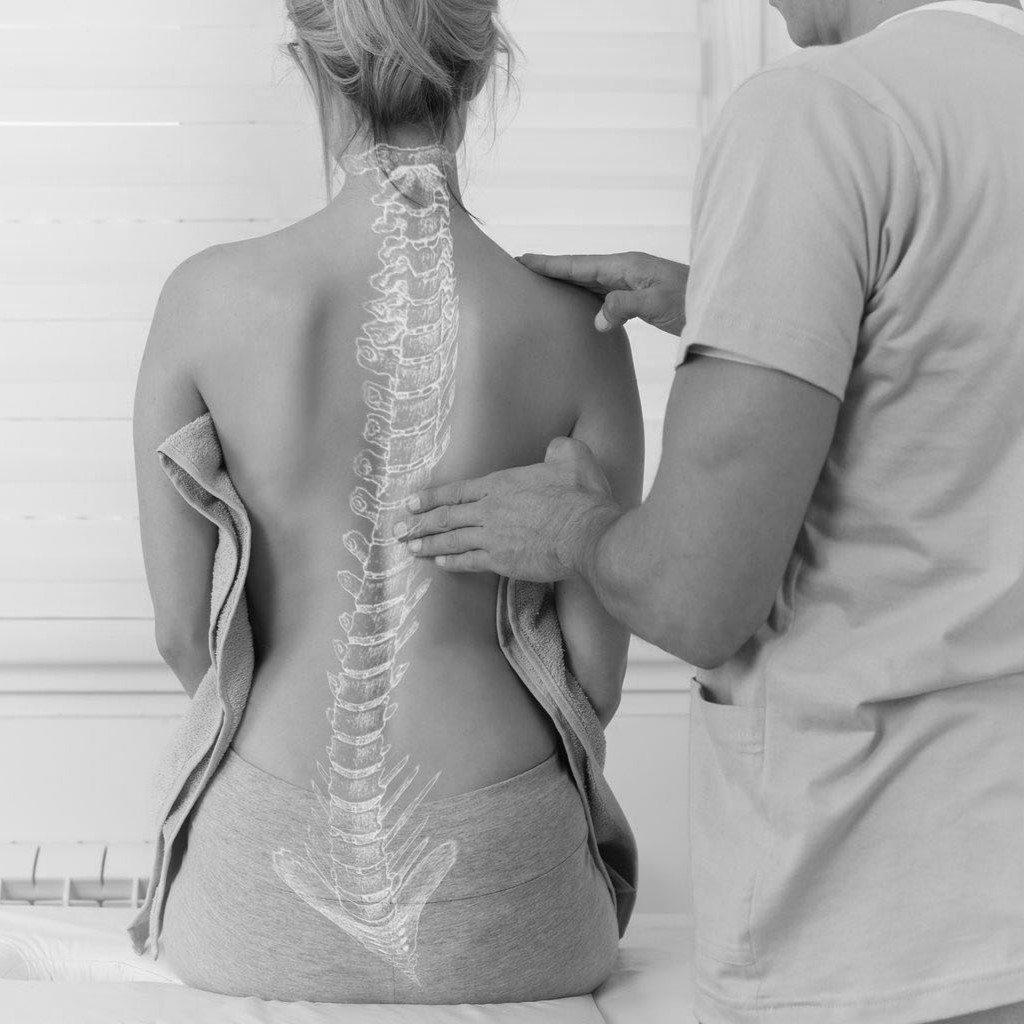
No better way for patients and parents to track brace time that uncovers compliance issue.
Patients are disconnected from doctors until few months later to report compliance issue.
Maintaining the routine to activate muscle post-bracing can be challenging.
Failure to recognize compliance issues as they emerge can:
- Impact life quality due to pain
- Psychological distress
Failure to report and address compliance issues can:
- Reduce brace effectiveness
- Increase the risk of surgery
Failure to maintain a rehabilitation routine can lead to:
- Weaken muscles
- Reduce brace effectiveness
The Challenges
However, I found that there are 3 challenges hindering the effectiveness of scoliosis brace.
If Challenges Left Unresolved...
Track Compliance
No better way for patients and parents to track brace time that uncovers compliance issue.
Failure to recognize compliance issues as they emerge can:
- Impact life quality due to pain
- Psychological distress
Few Check-Ups
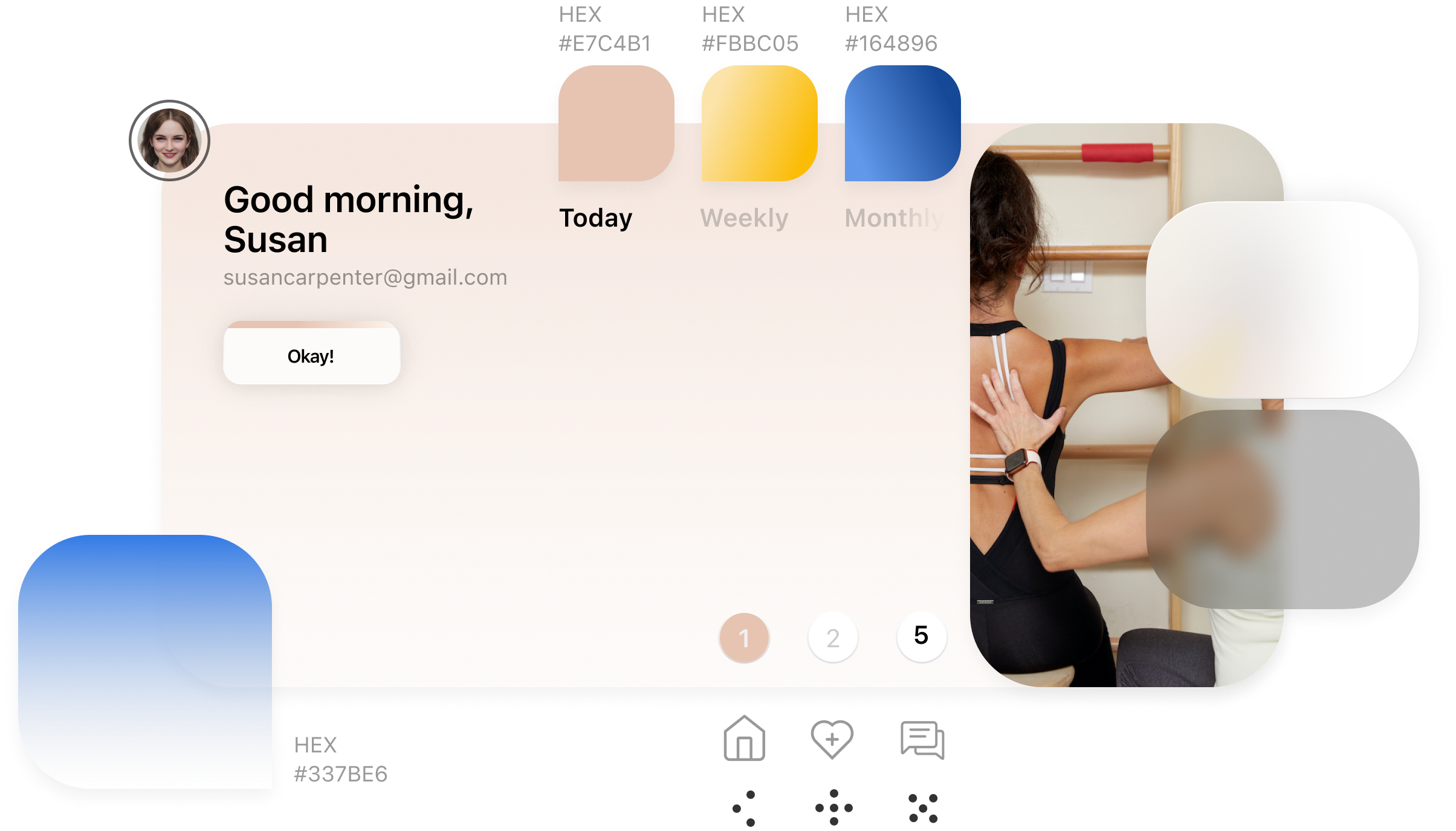
Patients are disconnected from doctors until few months later to report compliance issue.
Failure to report and address compliance issues can:
- Reduce brace effectiveness
- Increase the risk of surgery
Rehab Routine
Maintaining the routine to activate muscle post-bracing can be challenging.
Failure to maintain a rehabilitation routine can lead to:
- Weaken muscles
- Reduce brace effectiveness
Design Goals
Design an app for scoliosis patients to:

Primary
Encourage better brace-wearing habits in users

Secondary
Report and address compliance issues efficiently

Lastly
Establish consistent rehabilitation routines
Onboarding Prelude
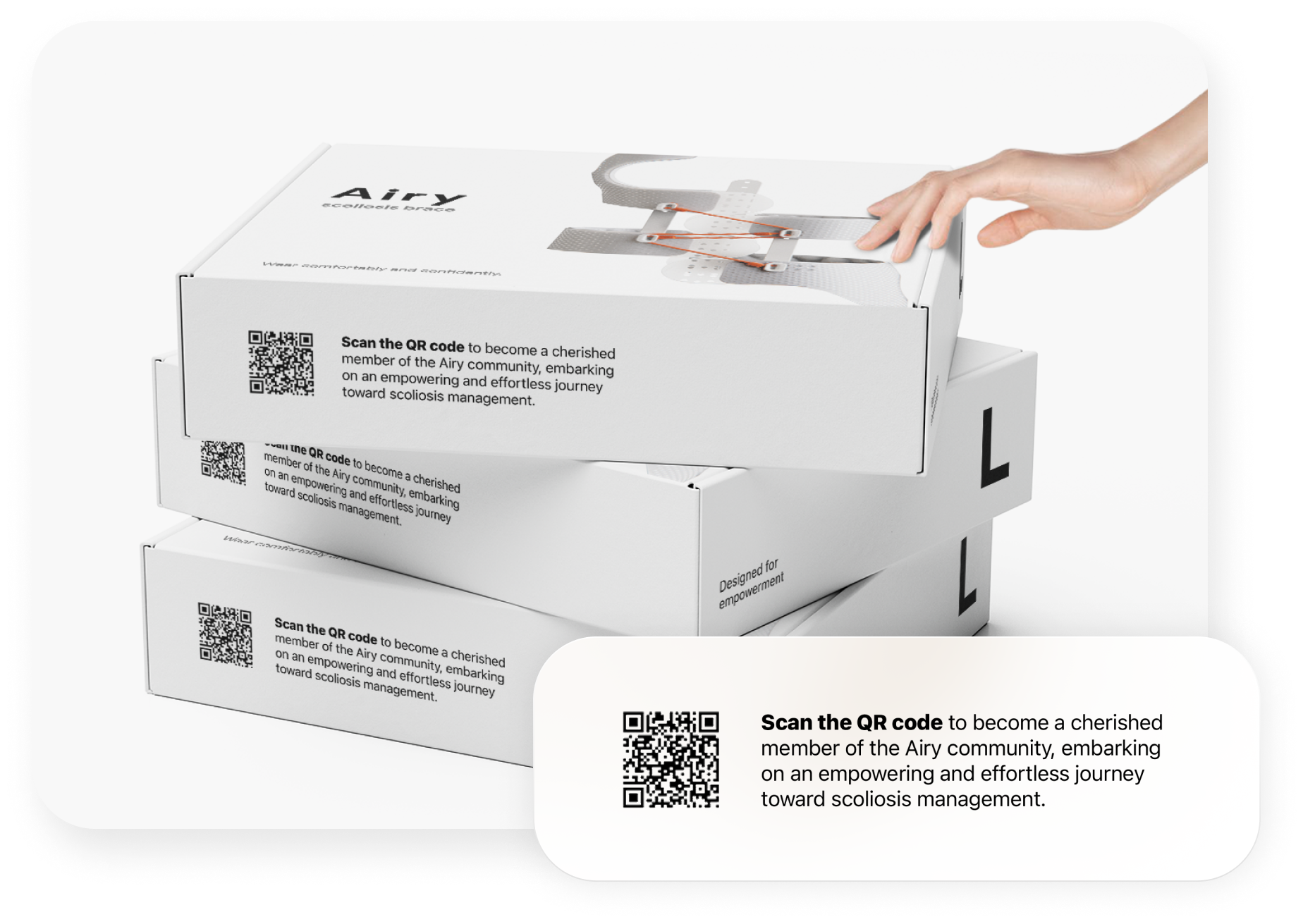
User journey begins with the initial touch point - packaging. A QR code prompts user to download the Airy app, creating the expectation of a transformative and empowering journey.
Onboarding
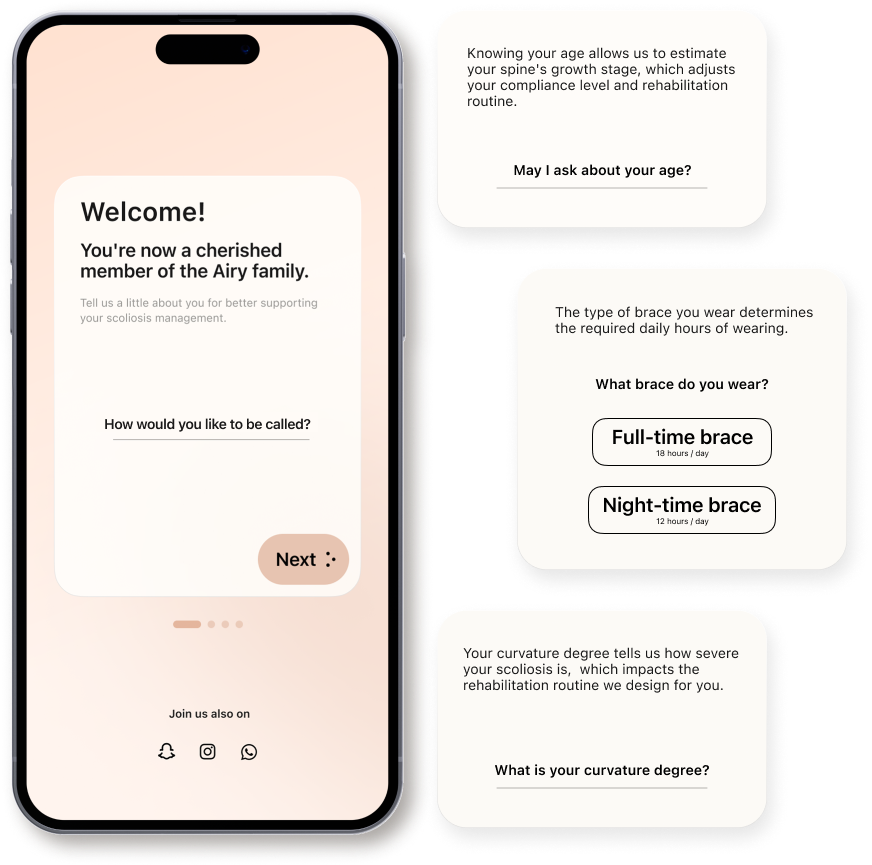
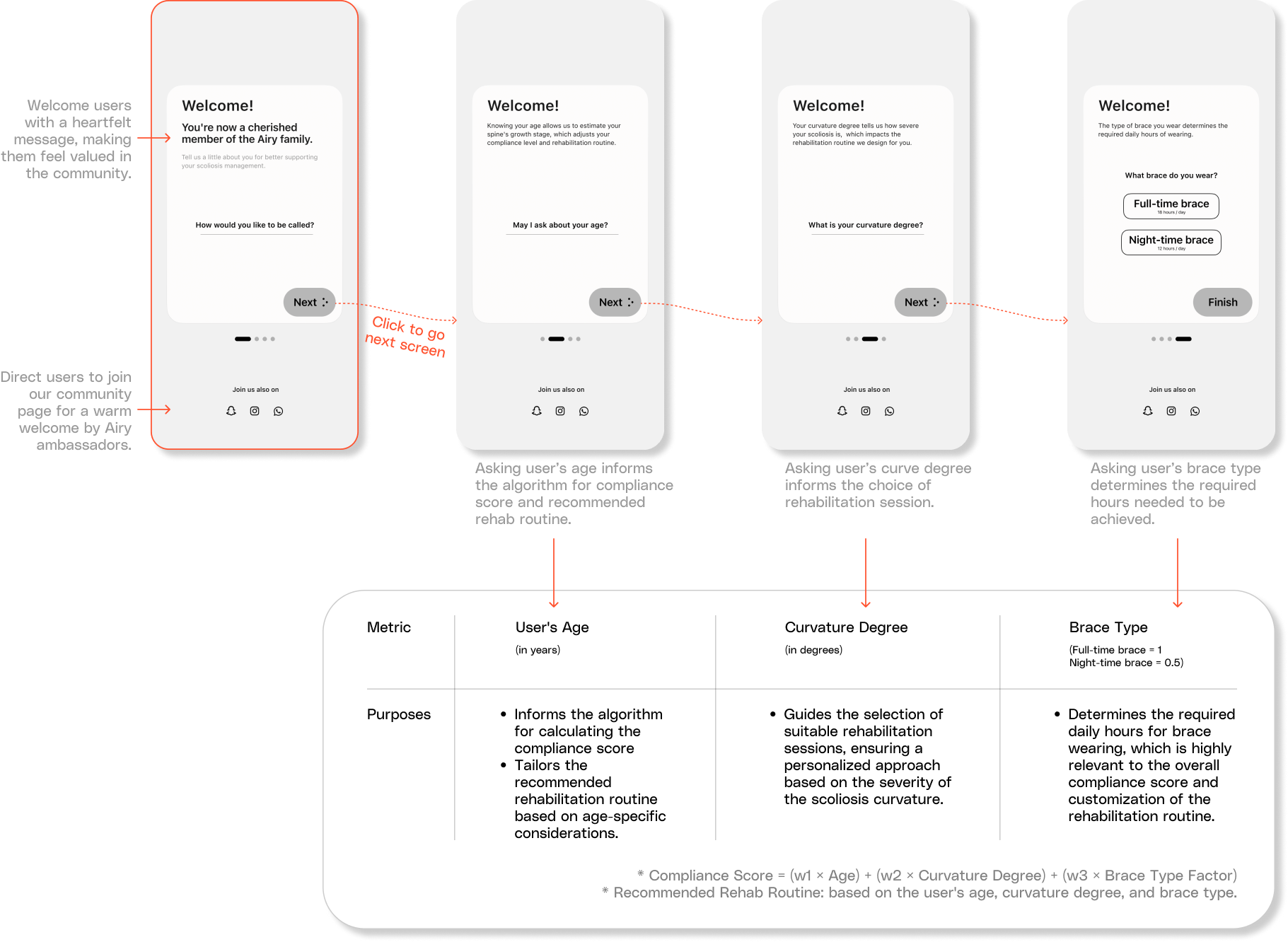
The launch screens collect user information with four optimized questions for precise personalization, while also guiding user to home screen quickly to minimize the risk of dropoff.
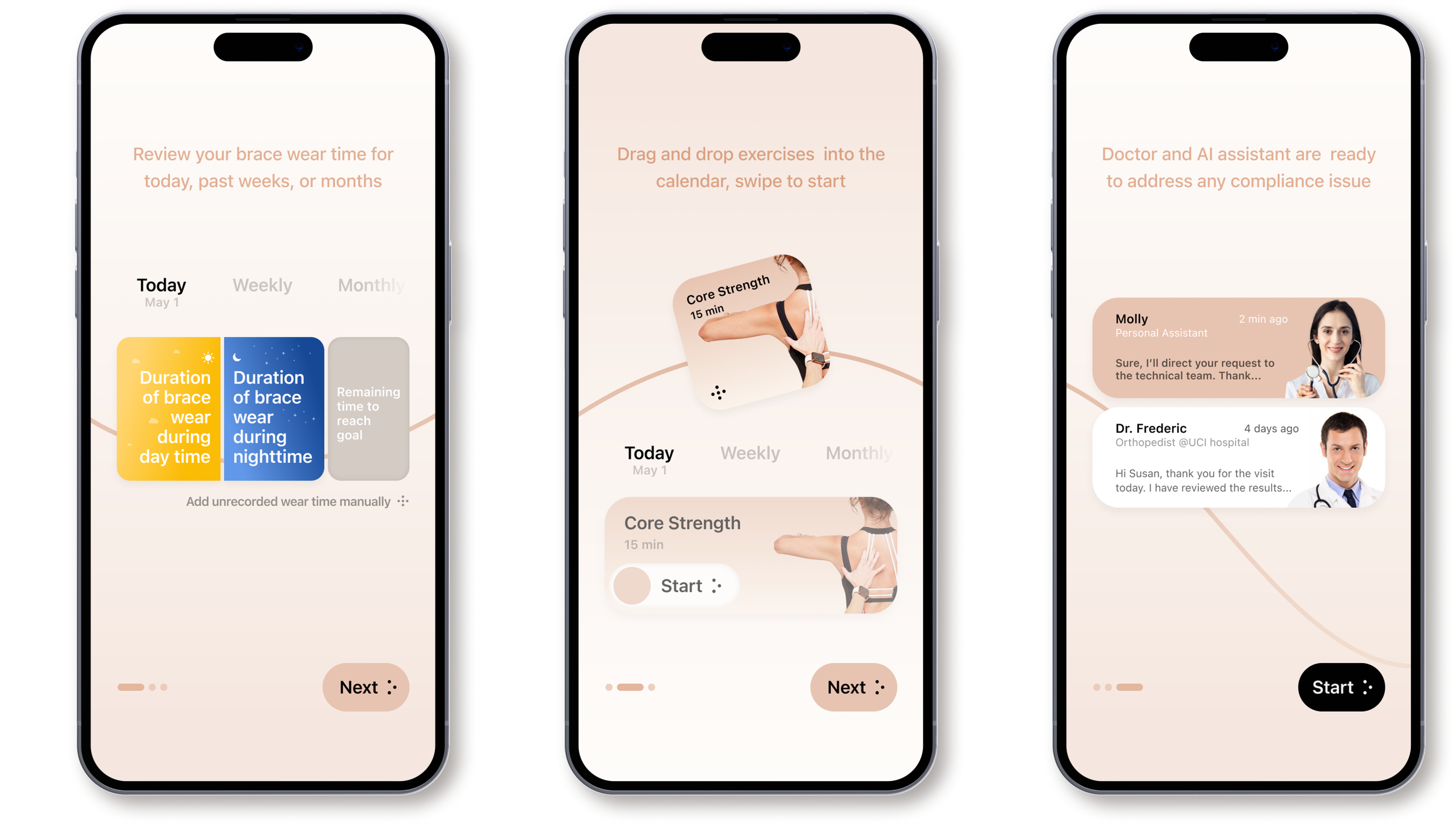
Onboarding
Tutorial screens provide the user with an introduction to the application and increases the level of trust in it
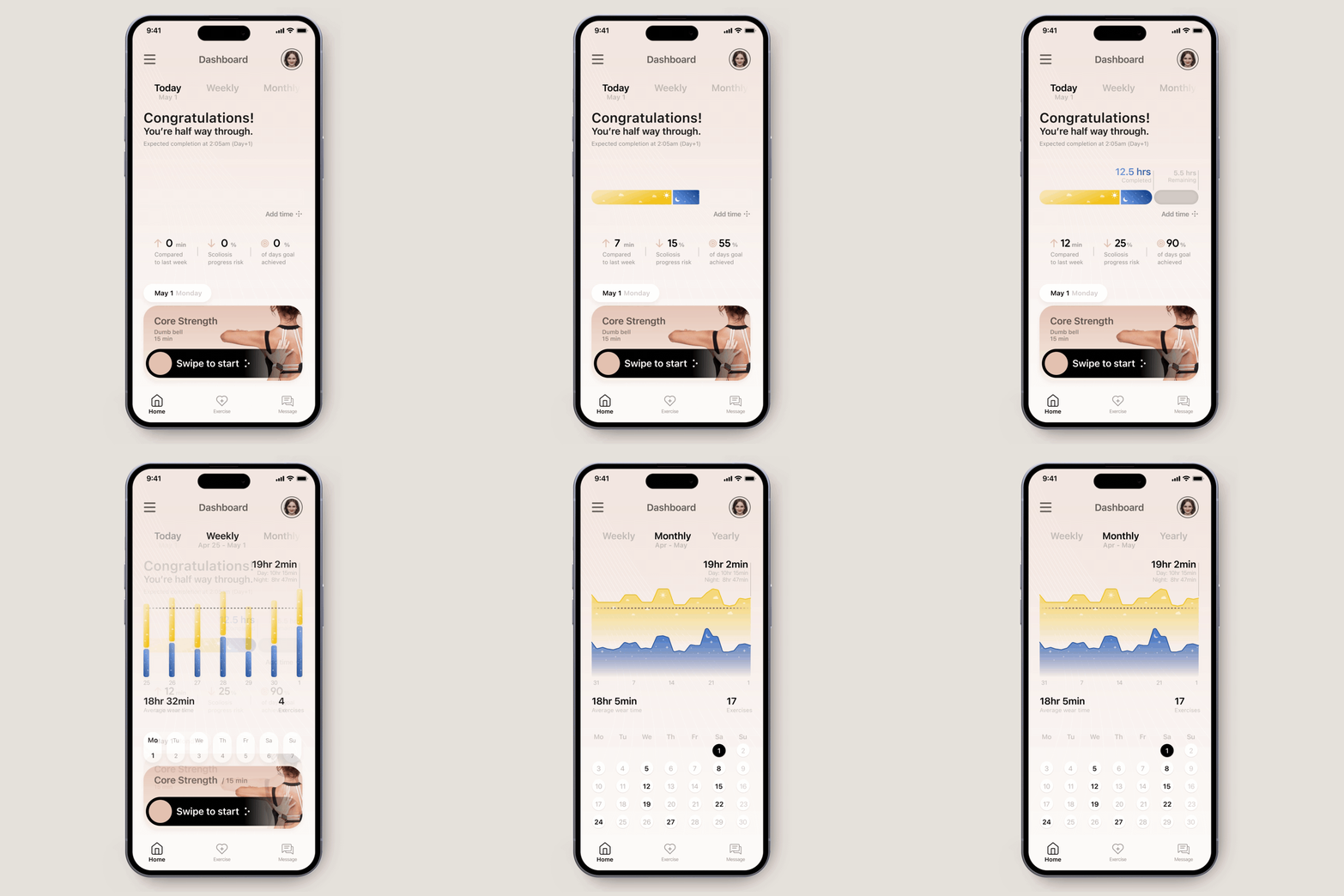
Boost Compliance
Welcome users with an encouraging message, display their current wearing progress and achievements to boost engagement. Then conclude with a call to action to start rehab exercises today
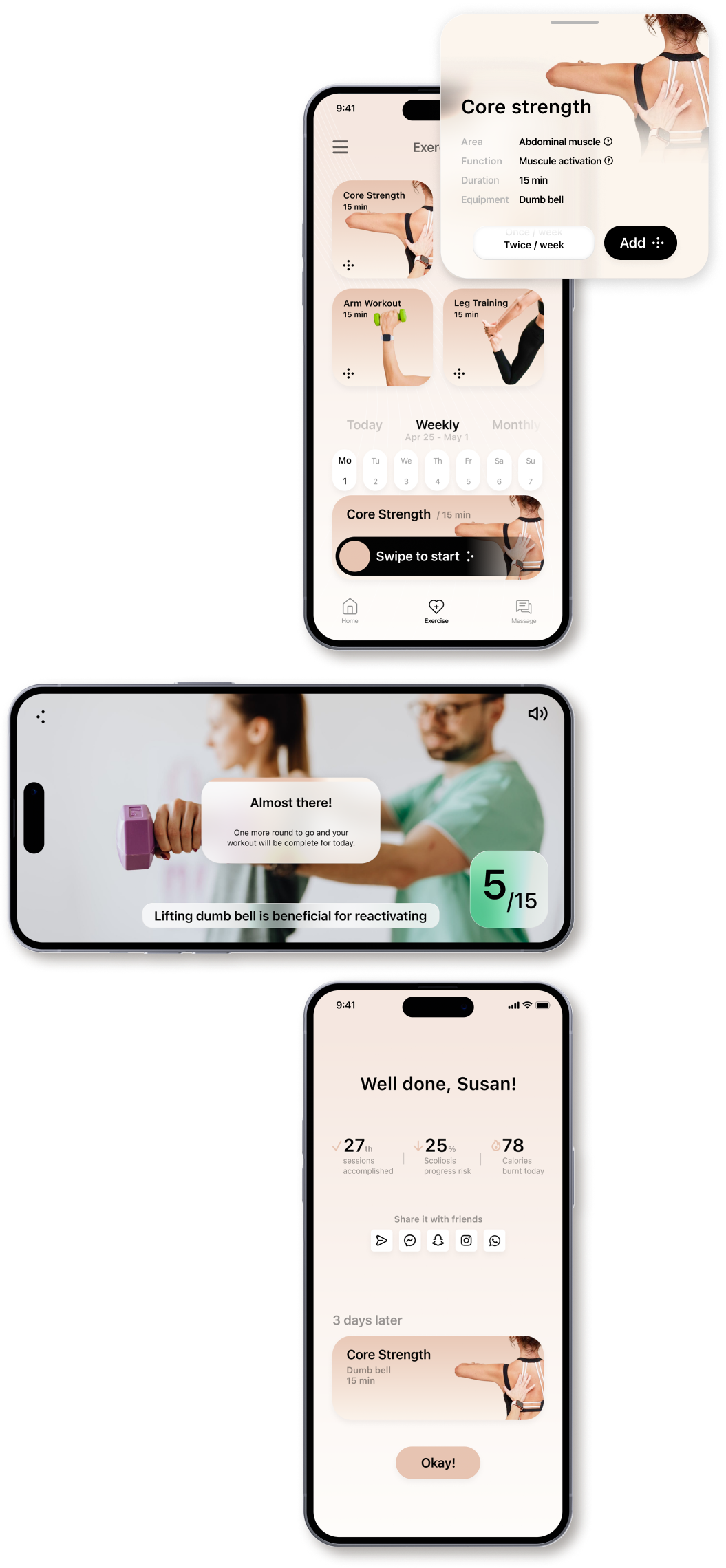
Rehab exercises
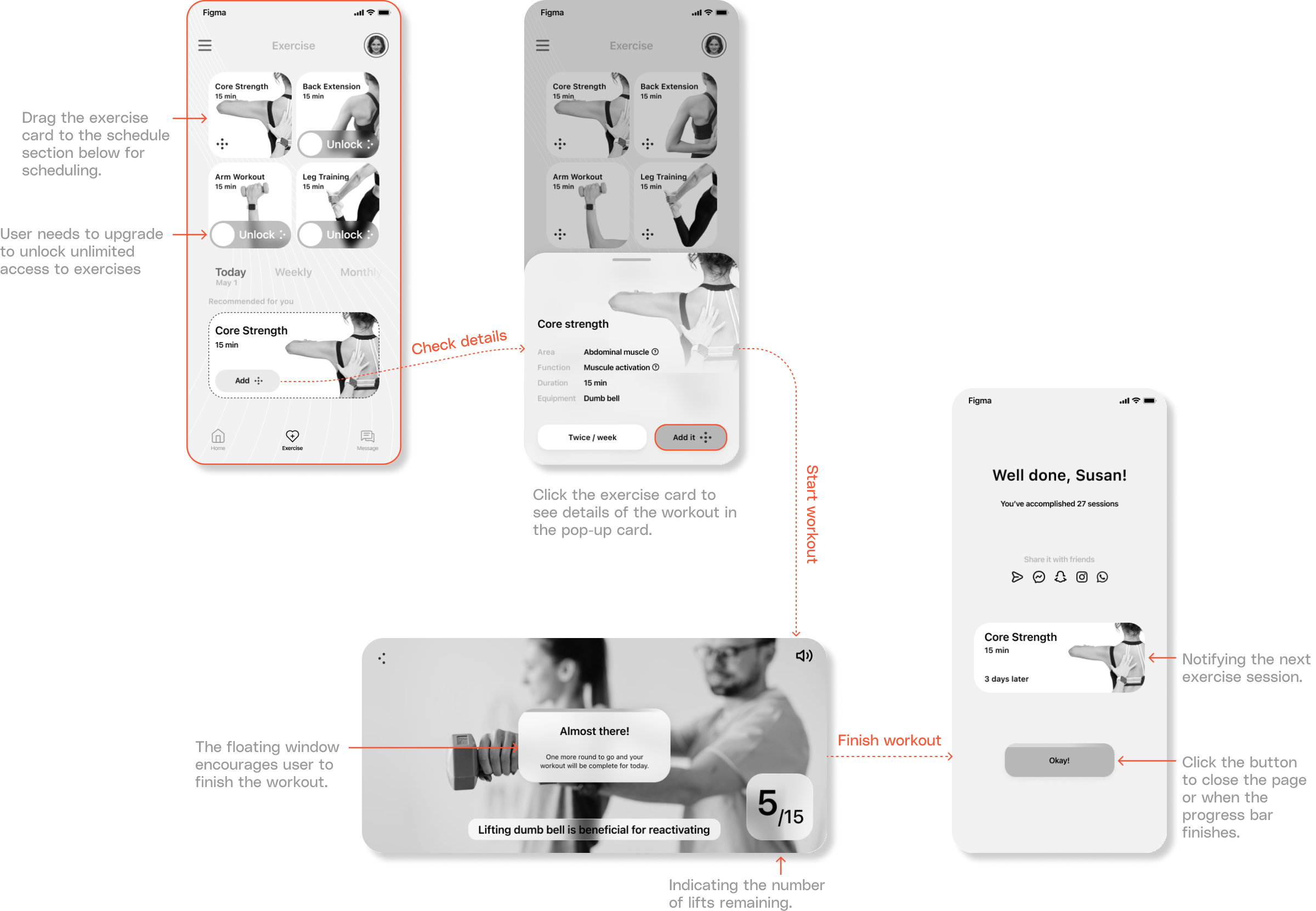
Algorithm matches exercises to user based on profile information, saving the abandon rate associated with exercise planning
When reaching a specific milestone, encouragement message pops up to enhance engagement both during and after the exercise
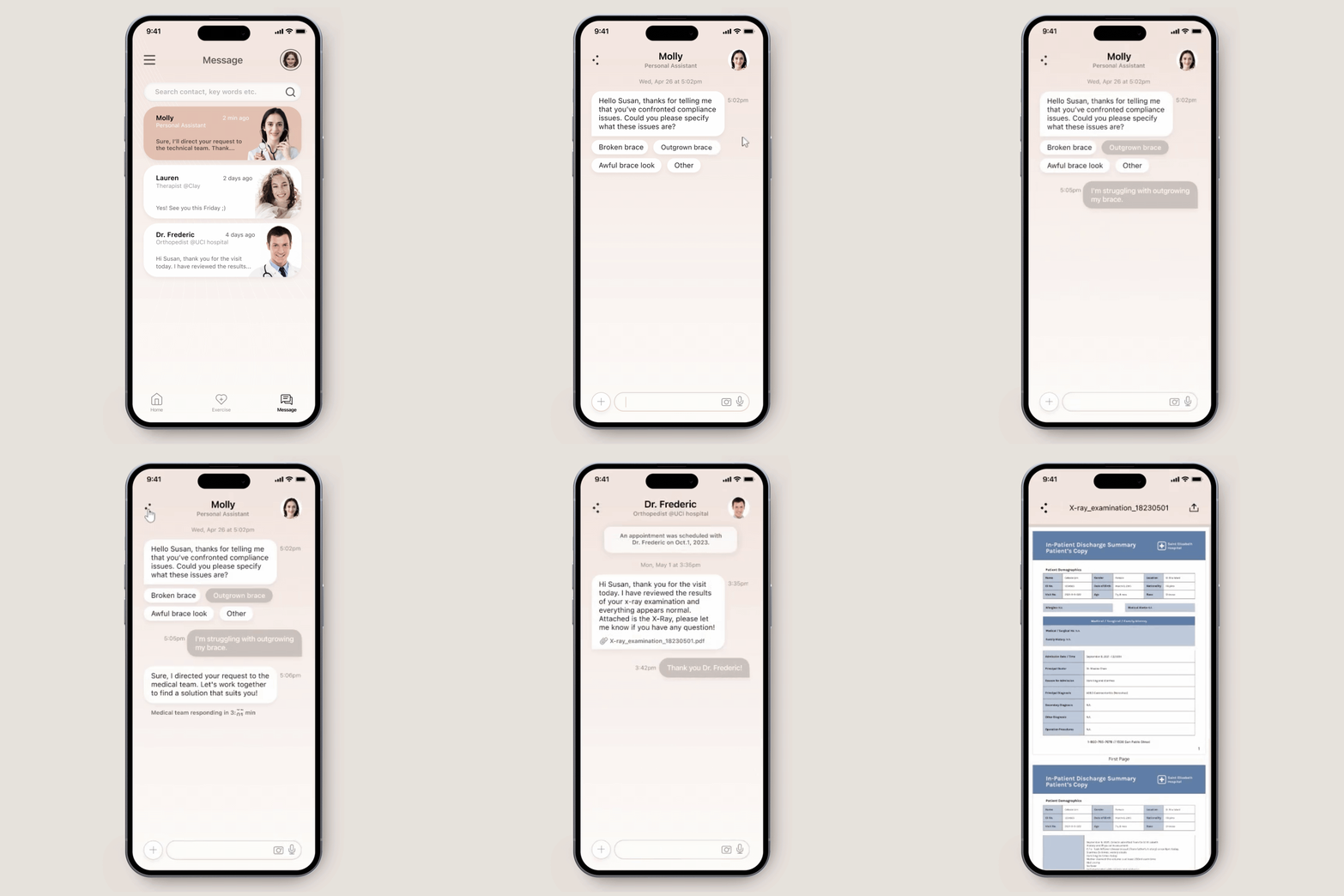
AI personal assistant
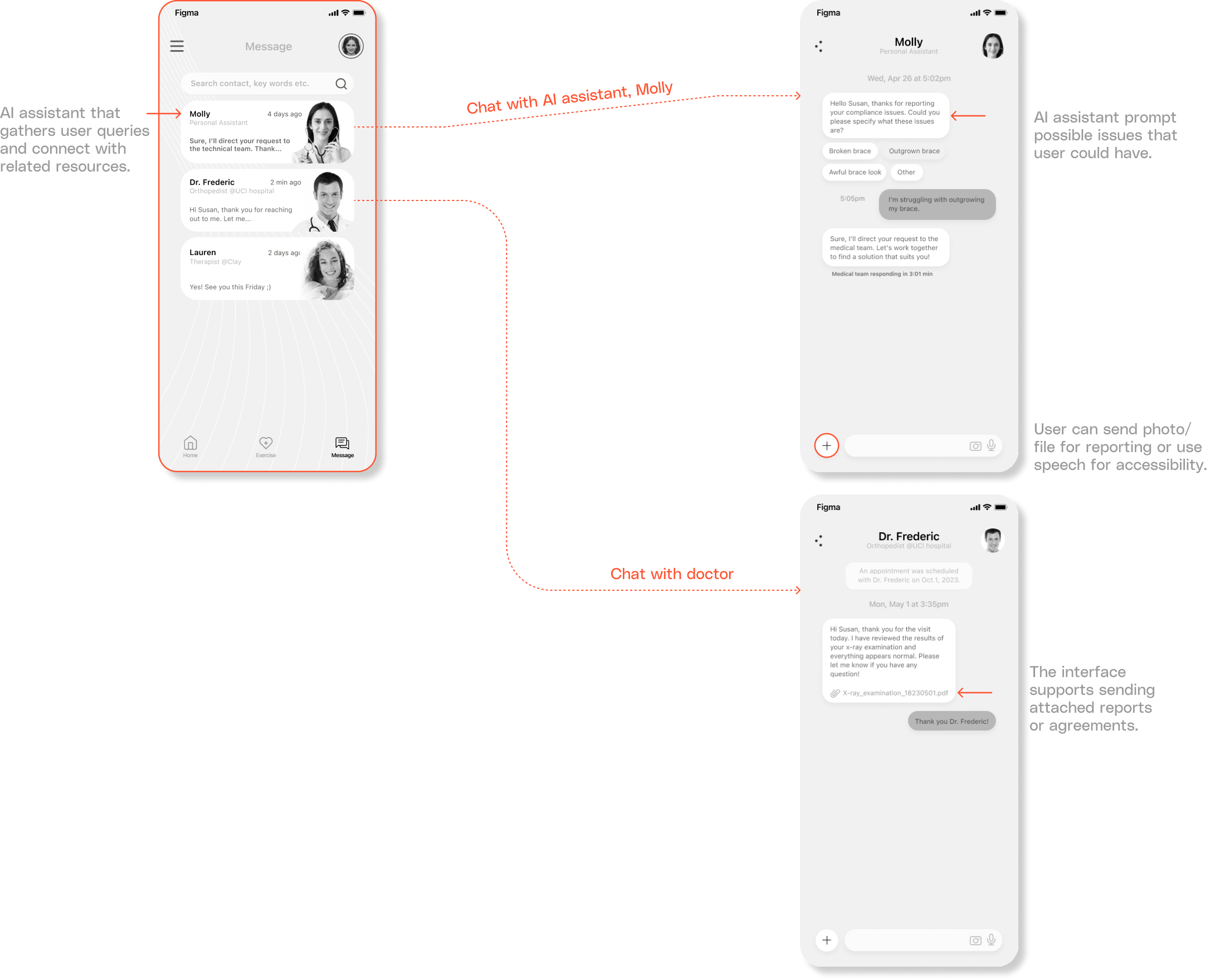
The AI personal assistant promptly identifies and resolves compliance issues, addressing user concerns and easing the workload for clinicians
After the research, I conceptualized the design...
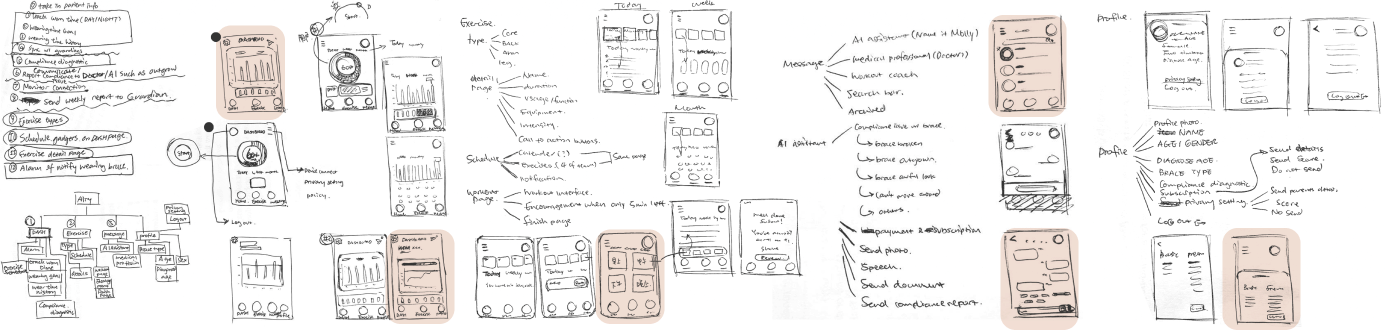
I started with sketch on paper, then developed concepts based on the features hierarchy, the user flow that I wish users to follow. Then I created mid-fi prototypes based on the paper sketch.
Information architecture
Building information architecture helped organizing my logic, provided a framework for the information I intend to include. It notably eliminate redundant repetition in information for later stages. I made Home, Exercise, and Message to be in the sticky bottom menu, because they are the most important features that should be easily accessible and consistently visible across various screens. While Profile stays on the right top corner due to less frequent interaction and logical separation.

Usability test 1.0
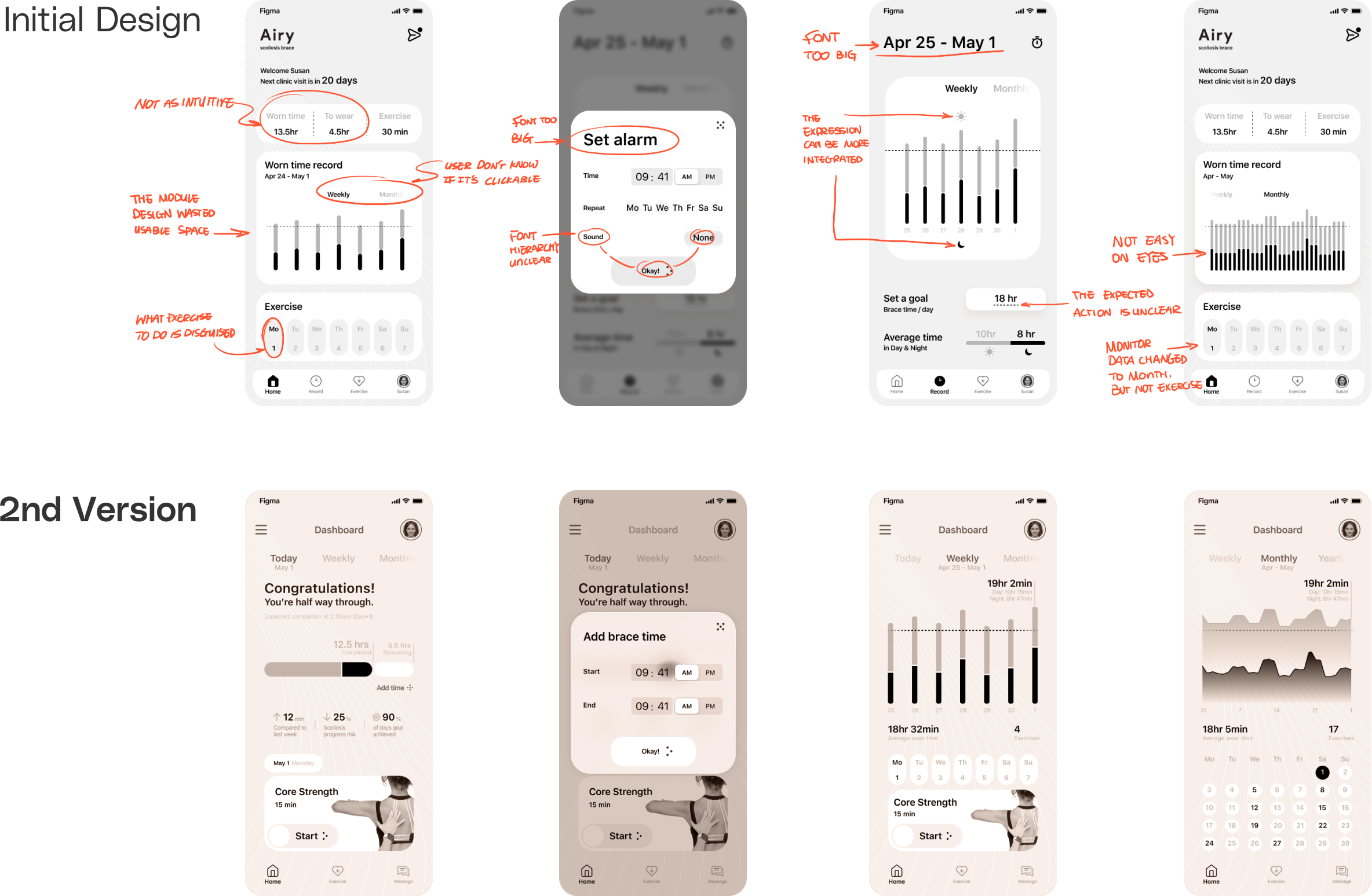
I conducted a usability test with 3 designer friends on the first version of design, and they pointed out the following problems. Taking their feedback into consideration, I created the second version.
Mid-fi prototype

The launch screens collect user's information with minimally 4 questions, which are user's name, age, curvature degree and brace type.

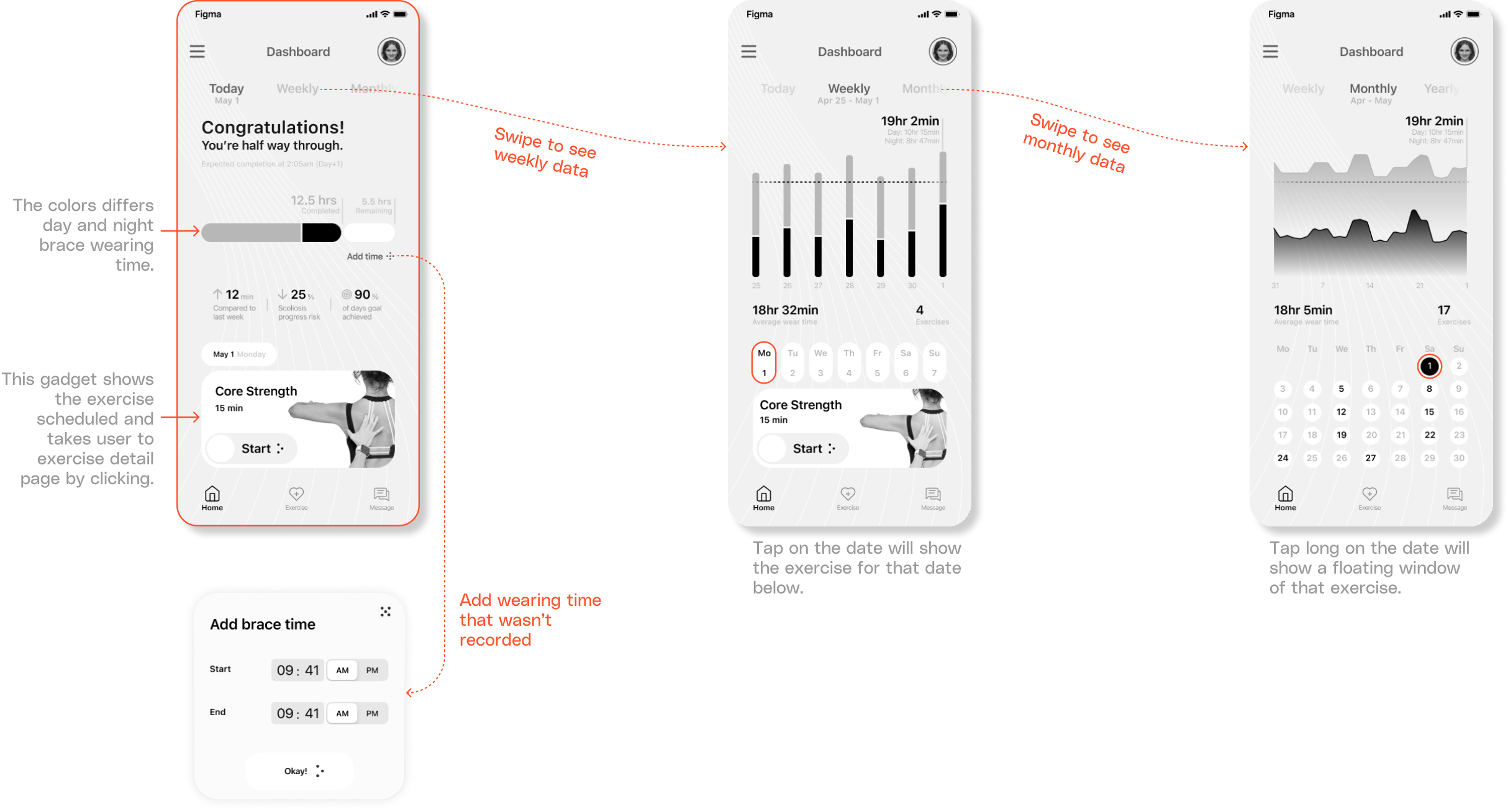
To reduce churn rate, it's crucial to foster positive emotions and motivation in users. An intuitive, simple home page can ease cognitive load, especially when users are already dealing with brace-wearing challenges. It needs to be:
- Clear display of wear time progress.
- Incentives to complete required wearing hours.
- Motivation to start today's exercise.
I used conversational UX to encourage brace-wearing continuity. Additionally, I placed the exercise schedule on the home page, hooking users to engage with the app beyond just monitoring data.

Rehab exercises are vital for scoliosis management, yet often overlooked in related apps. During my interviews with orthopedists, they highlighted these exercises in preventing muscle weakening and scoliosis relapse due to bracing. Therefore, I designed the app's exercise section to provide personalized exercise recommendations through an algorithm and motivational prompts to increase user engagement.

Orthopedists have limited availability, resulting in delays addressing patient compliance issues with braces until appointment several month later, which can be too late. I was inspired by Lemonade app, to implement an AI assistant to help address outsourceable compliance problems, such as needing brace modifications due to discomfort.

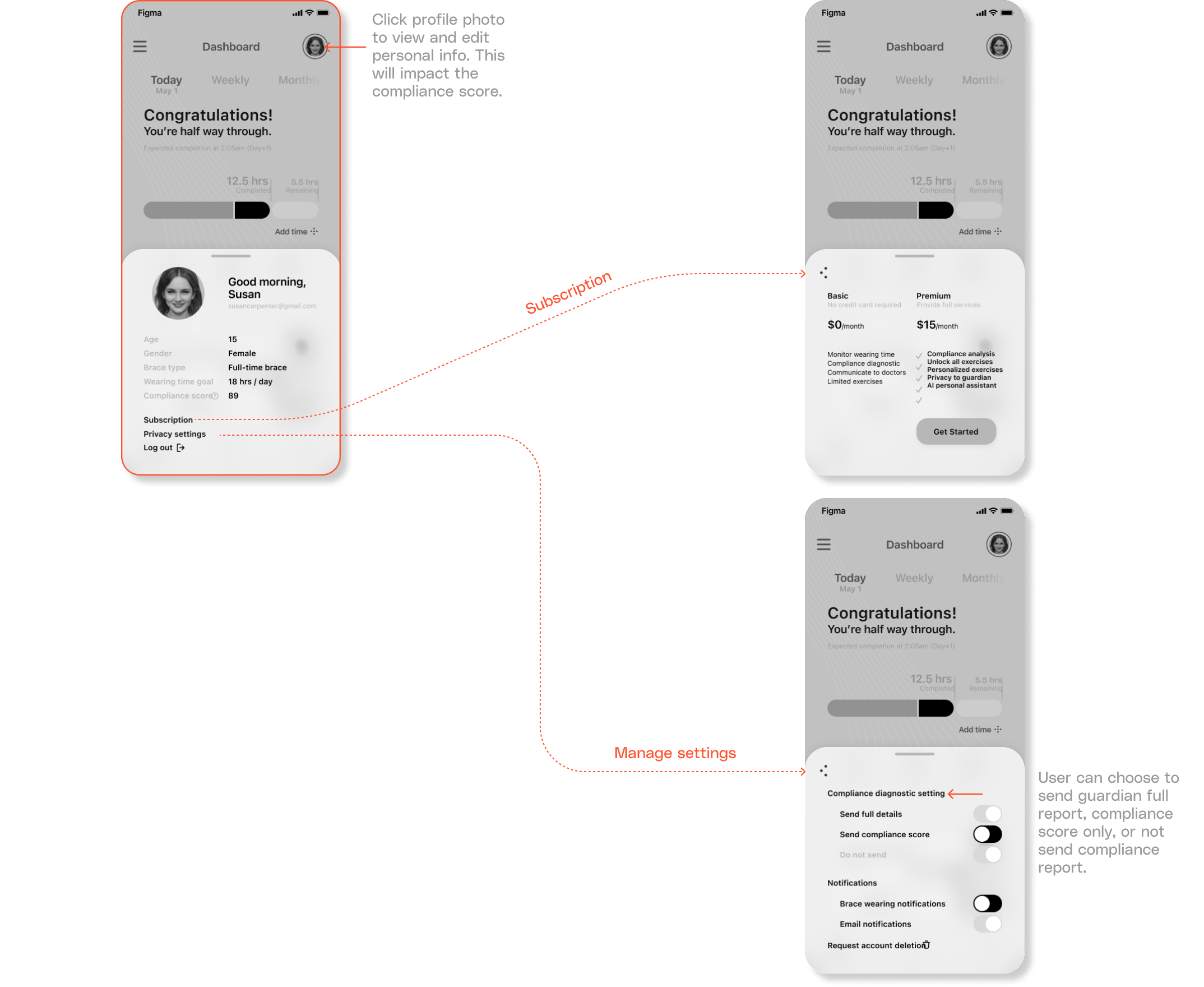
The profile page displays a user's information and allows sharing compliance diagnostic reports with guardians. Users can select in 3 privacy preferences when sending the reports.
Style guide
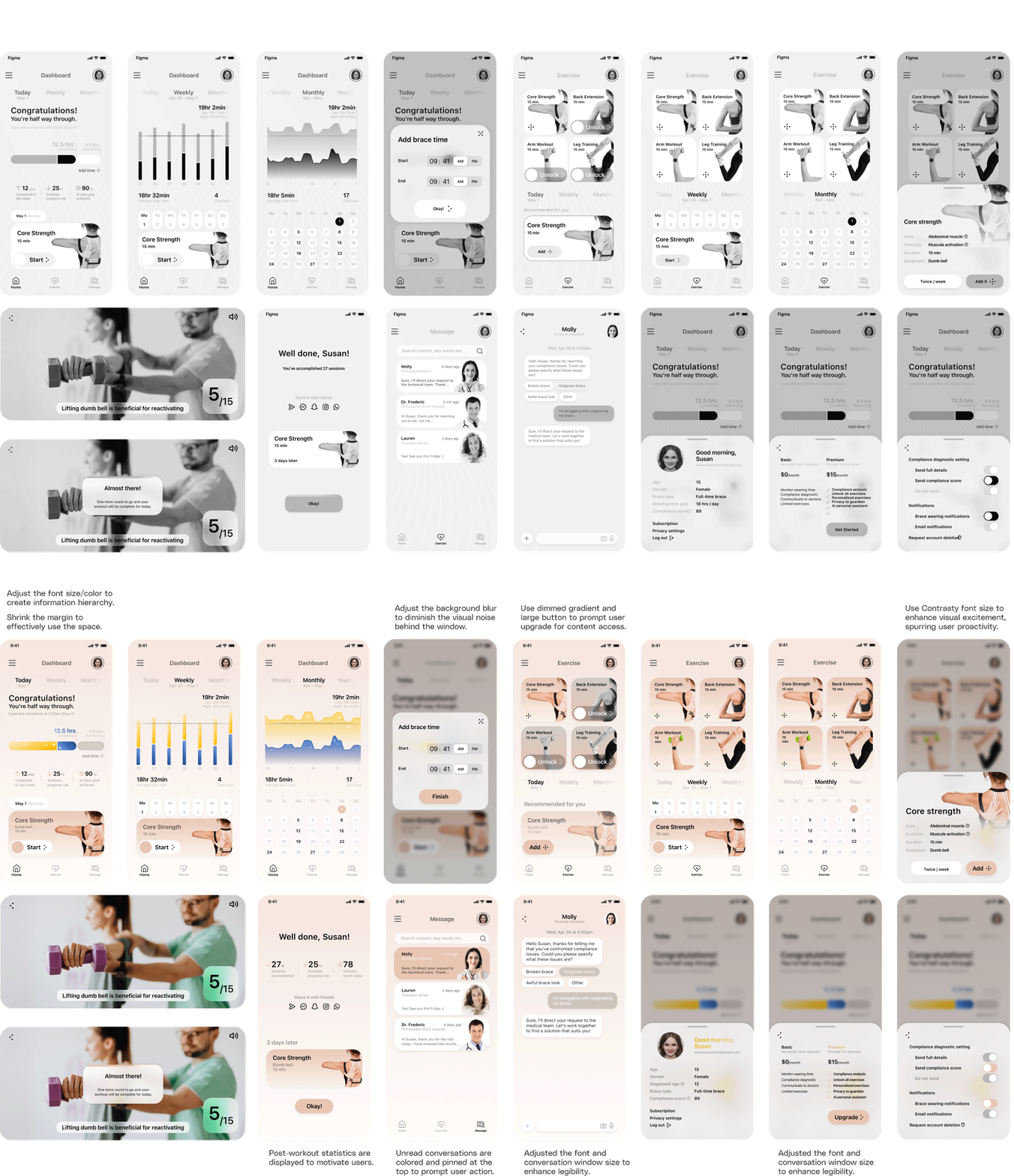
I employed a rose pink hue as the primary color to create a calming visual experience, helping users distance themselves from the struggles of scoliosis. Gradient pop colors highlight important information or titles.
Mid-fi to High-fi Prototype
I identified the different styles from the mid-fi prototype and created a visual guide for the app interface design. While applying the visual design, I optimized the layout, utilized margin spaces, adjusted font and component sizes and color to highlight the information hierarchy.
Usability test 2.0
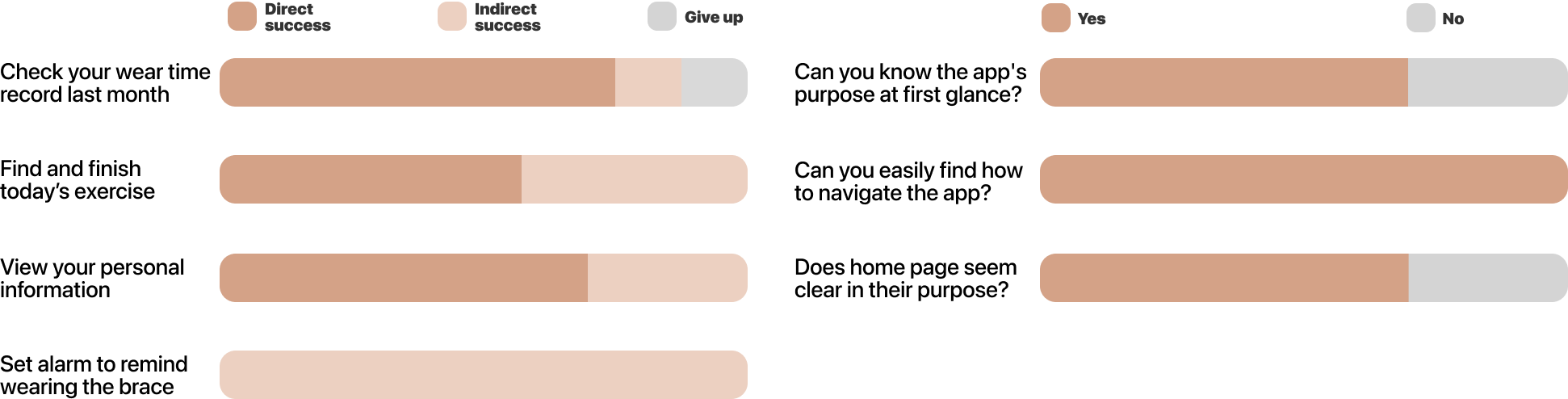
I conducted a usability test of the high fidelity prototype in maze.co with a group of 8 users. I found that:
- Users miss 'notification' when it is under irrelevant UX script, 'privacy setting'.
- Onboarding pages are crucial at helping user understand the app's purpose. Without it, almost no user can determine the app's purpose at first glance.
The impact
36%
more patients say the Airy app helps their doctors analyze whether a treatment plan adjustment is needed, thanks to better engagement in wear time and exercise tracking.
76%
of testers could find how to check wear time, access exercise tutorials, and update scoliosis progression within the first three attempts.
Takeaways
Experience starts earlier than I thought
I once believed the user experience started with the launch screen of an app, but it truly begins much earlier. It can be the first advertisement seen, initial website search, or unboxing a product. Even packaging that entices users with a seamless onboarding process shapes expectations. Considering the entire user journey, from awareness to advocacy, allows for a cohesive experience that helps a product stand out. Designing holistically across all touchpoints creates a more impactful overall experience than just thinking about the screens.
Experience design follows design intent
I realize that the interface serves as a vehicle for communicating information efficiently and guiding user actions in a clear, intuitive manner given hardware constraints. The goal is to direct users down a desired path by prioritizing calls to action. Designers must thoughtfully utilize limited screen space to optimize this experience.
Typographic consistency across all interfaces
Typography hierarchies are constrained by space and accessibility. Designers must analyze a system's type usage holistically to communicate informational importance at first view. Merely using the largest type on a page does not guarantee consistent hierarchy across interfaces. Establishing typographic guidelines promotes uniformity by strategically employing type sizes for optimal user orientation.